
AI-native forms
Forms, reinvented
for the AI era
Share a form link for a guided conversation, collect from Slack invisibly, or let AI agents fill it for their humans. Clean, structured data, every time.
What makes a form
“AI-native”?
Forms are a primitive of the web. But we still use them like it's 2015: links, boxes, rigid formats, and messy answers to clean up later.
AI changes that. It can extract structured data from natural conversations, whether through a guided chat link or directly in tools people already use, like Slack. No more forcing anyone to fill boxes perfectly. And AI assistants can fill forms for you. Ask OpenClaw or Perplexity Computer to complete a NativeForm link and they can.
Open a link, fill boxes
Reply in Slack or just chat within NativeForm
Design fields upfront
Describe what you need, AI builds it
Messy values to clean later
Clean, typed values by default
More fields = more drop-off
Follow-ups feel like conversation
Raw answers only
Structured data + raw context
Humans only
AI can fill it for you
Requests are clearer because the assistant asks the right questions.

Rémi
CEO of QR Code Facile & blogger
Already replacing
traditional forms.
Rémi replaced a classic website contact form with NativeForm for urgent "my site is down" requests. The assistant adapts to the user's technical level, asks the right follow-ups, and produces clearer, more actionable responses.

Describe the form you want.
NativeForm builds it.
"I need a support form for website outage reports."
What is the website URL?
Is it down for everyone, or just you?
What did you try to fix it?
Can you share any screenshots?
No drag & drop. No field hunting. Start with a sentence. You get a real form with sections, fields, options, and validations. You don't need to overthink which fields to ask for: NativeForm proposes them based on the goal.
Send a link.
They have a chat.
No more staring at empty fields. When someone opens your form, they're greeted by a friendly assistant who asks questions one at a time, like a real conversation. They just talk, the form fills itself.
- —No intimidating forms. Just one question at a time.
- —Natural language. They answer however they want.
Hi! What's your name?
Sarah Chen
Thanks, Sarah. What's the website URL that's experiencing the issue?
checkout.example.com
Is the site down for everyone, or just you?
Created for humans.
Ready for their agents.
Autonomous AI agents like OpenClaw, Perplexity Computer, and many more already browse the internet for their humans. Finding products, comparing options, taking action.
When an agent finds your product and sees a NativeForm, it fills the form on its human's behalf. Zero friction. The agent says: “I found the best match and submitted your info.”
 Perplexity Computer
The internet of tomorrow has more agents than humans. Your forms should be ready for both.
What you can do, your agents can too.
AI agents get the same capabilities you have in the dashboard. Full access to NativeForm, through code.
Explore the developer hubConnect any application
40+ tools for ChatGPT, Claude, Cursor and a lot more
OpenClaw, Codex, Claude Code love it. Super efficient.
Forms · Responses · Webhooks · Smart Fields · API Keys
Collect structured data
where people already talk.
AI makes it possible to turn almost any kind of input into structured data. NativeForm starts with Slack, but the direction is bigger: gather responses from the tools your team already uses, and get clean data back.

Web link
Conversational form on NativeForm
Embed
Drop it into your site with iframe
Slack
AvailableThreads → structured responses
More integrations
RequestRequest yours

Mention @NativeForm
Describe what you want to collect
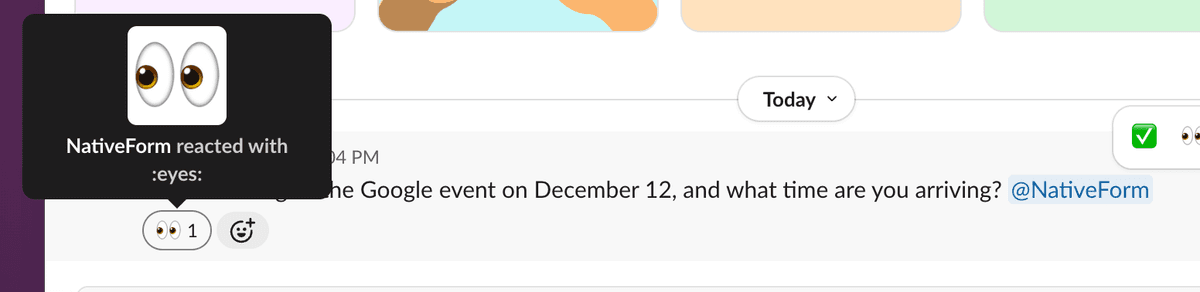
It starts listening
👀 means it's watching the thread
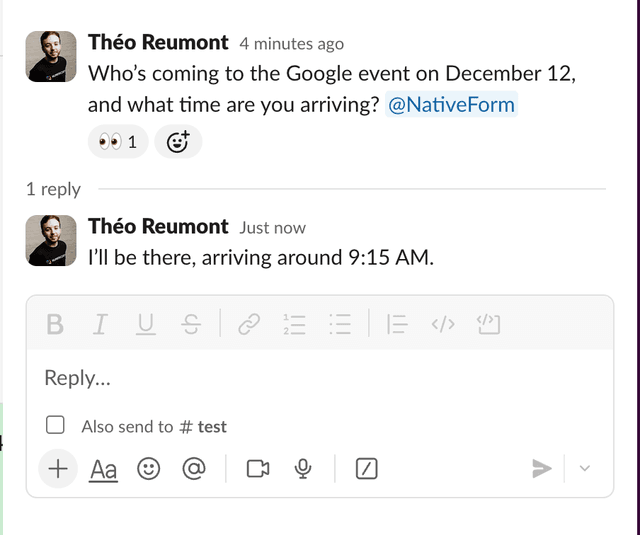
People reply
No link, no friction
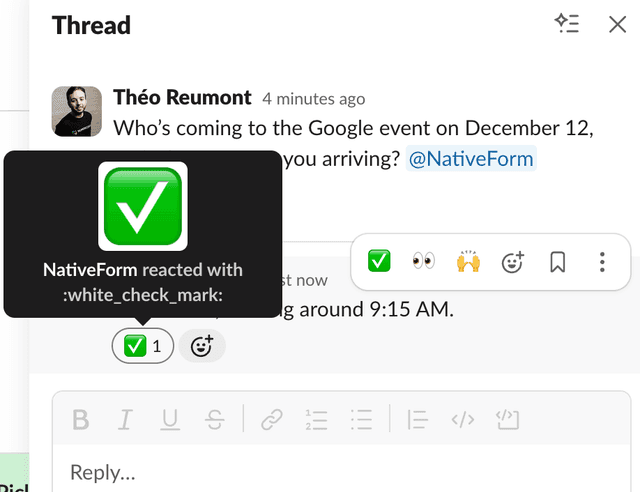
Structured
✓ confirms extraction
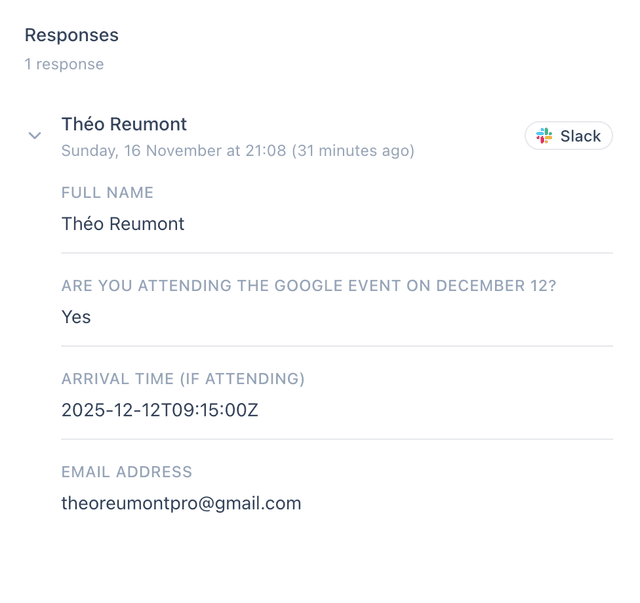
Dashboard
Filter, export, automate
Stop cleaning answers.
Start using them.
Having an AI layer between users and your system allows for better data. NativeForm normalizes every value for analytics and automation, extracting structured data from natural language while preserving the original text for full transparency.
Raw text preserved for context and audits.
Get signals,
not just answers.
Smart Fields are computed by AI after each response is submitted. Tell AI to add a lead score, detect urgency, or categorize requests. It figures out the rest.
Prompt: Is this a professional/work email? Output: yes or no
"john@acme-corp.com"
Prompt: Based on company size and budget, score this lead 1-100
"We're a 200-person company looking for an enterprise plan"
Prompt: Based on the issue and company context, is this urgent? Output: low, medium, high, critical
"Our checkout page is down. We're losing sales every minute."
Prompt: Categorize this request. Output exactly one of: bug, billing, feature, onboarding, other
"I can't figure out how to connect my Slack workspace"
Ask questions.
Get answers you can act on.
"What are the top 3 reasons people say the site is down?"
"Show me responses where urgency is high."
"What did people try before contacting us?"
"Group responses by category and show counts."
"Summarize this week's feedback in 5 bullets."
NativeForm or inSlack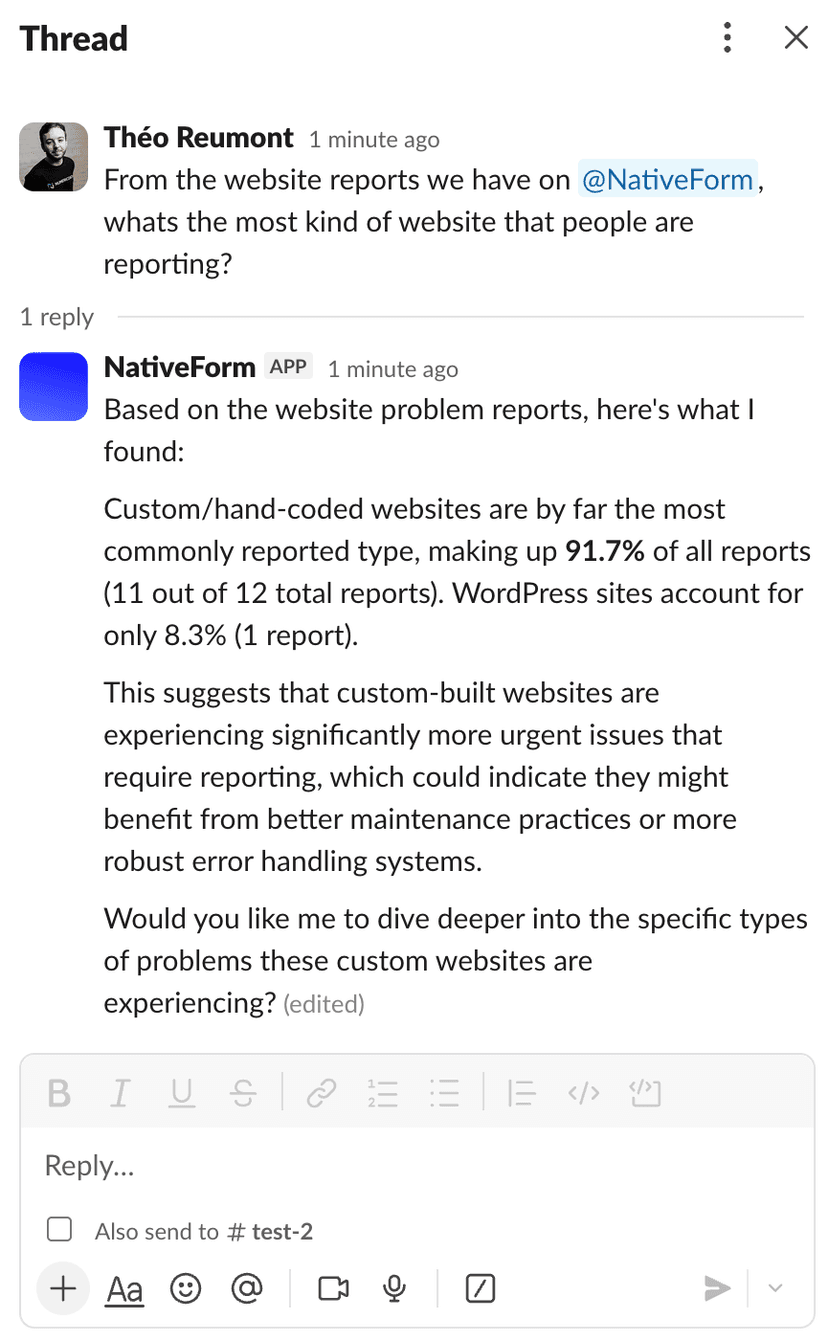
Trigger workflows
in tools you already use.
Every form submission can trigger automations in Make, n8n, or Zapier. Never used these tools? No problem. Just describe what you want in plain English, and NativeForm builds the workflow for you. No technical knowledge required.
Just tell us what you need
“Send to Slack, then save to Google Sheets”
NativeForm response submitted+ 1000s more apps
Example automations
Popular form templates
Website + customer-facing
Early access / waitlist
Auto-score leads by buying intent. If Lead score ≥ 80, add to HubSpot as priority. Route enterprise companies directly to sales.
↳ Lead score ≥ 80 → Add to CRM as hot lead
Contact / inbound
AI detects department and routes automatically. Sales inquiries go to #sales-leads, support to #support-queue, partnerships to the BD team.
↳ Department = Sales → Route to #sales-leads
Support / outage
Urgency is detected from context. Critical issues page on-call instantly. Low priority goes to the backlog for next sprint.
↳ Urgency = critical → Page on-call in Slack
Sales qualification
Extract budget, timeline, and company size. High-value prospects (budget > $10k) trigger immediate notification to VP of Sales.
↳ Budget > $10k → Notify VP of Sales
Booking request
Parse availability and preferences. VIP customers (lifetime value > $5k) get priority scheduling and personal follow-up.
↳ Customer tier = VIP → Priority queue + email
Refund request
Detect sentiment and refund reason. Negative sentiment triggers customer success outreach. Shipping issues auto-route to logistics.
↳ Reason = shipping → Route to logistics team
Product + growth
Feedback
Sentiment analysis runs on every response. Negative feedback alerts customer success. Positive feedback gets added to testimonials pipeline.
↳ Sentiment = negative → Alert CS team
Bug report
Auto-categorize by severity and area. Critical bugs create Linear issues immediately. Include reproduction steps extracted from conversation.
↳ Severity = critical → Create Linear issue
Feature request
Cluster by theme and detect demand. Requests from enterprise customers (ARR > $50k) get flagged for product review.
↳ Customer ARR > $50k → Flag for PM review
Research intake
Screen participants by fit score. High-fit candidates auto-schedule via Calendly. Low-fit get a polite decline email.
↳ Fit score ≥ 70 → Send Calendly invite
Churn / cancellation
Detect churn reason and sentiment. Price-sensitive churns trigger discount offer. Product issues go to PM for review.
↳ Reason = price → Send retention offer
NPS follow-up
Promoters (9-10) get referral program invite. Detractors (0-6) trigger immediate outreach from customer success.
↳ NPS ≤ 6 → Alert CS + schedule call
Ops + internal teams
IT access request
Auto-detect access level needed. Standard requests auto-approve. Admin access requires manager notification and approval flow.
↳ Access level = admin → Require manager approval
Procurement request
Extract vendor and budget. Requests over $5k route to finance for approval. Under $5k auto-approve with budget tracking.
↳ Amount > $5k → Route to finance approval
Incident report
Severity auto-detected from impact description. P1 incidents page on-call and create war room. P3+ logged for weekly review.
↳ Severity = P1 → Page on-call + create war room
PTO request
Parse dates and check team calendar. Requests during blackout periods flag for manager review. Otherwise auto-approve and update calendar.
↳ Blackout period = yes → Flag for review
Events + communities
RSVP
Track capacity and dietary needs. When capacity hits 90%, enable waitlist. Special dietary requests notify catering team.
↳ Has dietary restriction → Notify catering
Speaker submission
Score by topic relevance and speaker experience. Top 20% get fast-track review. Include auto-generated talk summary.
↳ Relevance score ≥ 85 → Fast-track review
Post-event feedback
Categorize by session and sentiment. Negative session feedback alerts speaker. Positive quotes added to marketing pipeline.
↳ Sentiment = negative → Alert session owner
Dietary constraints
Extract allergies with severity. Severe allergies (anaphylaxis risk) trigger special meal coordination and staff alert.
↳ Allergy severity = severe → Alert event staff
Your data, your way.
You collected the responses. Now what? Export to spreadsheets for your weekly report, integrate via API for real-time dashboards, or automate with webhooks when someone submits. Your data, your tools, your workflow.
Exports
CSV/Excel from the dashboard
API
Read responses with an API key
Webhooks
Get notified when responses come in
Connect via API
Your interface.
Our intelligence.
Connect any of your applications easily via API: a feedback widget, an internal tool, a mobile app, anything. Users see your interface, you send us the data, and our intelligence handles the rest. You can also fetch responses back to build dashboards or lists directly in your product.
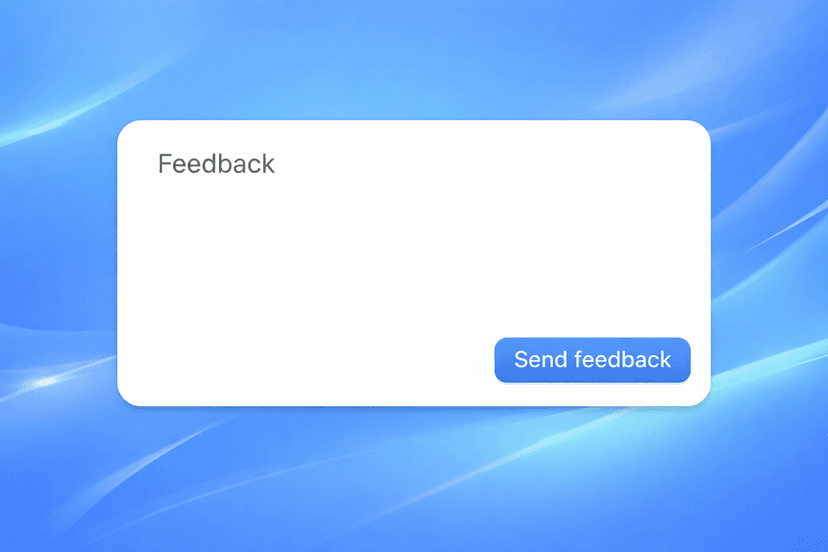
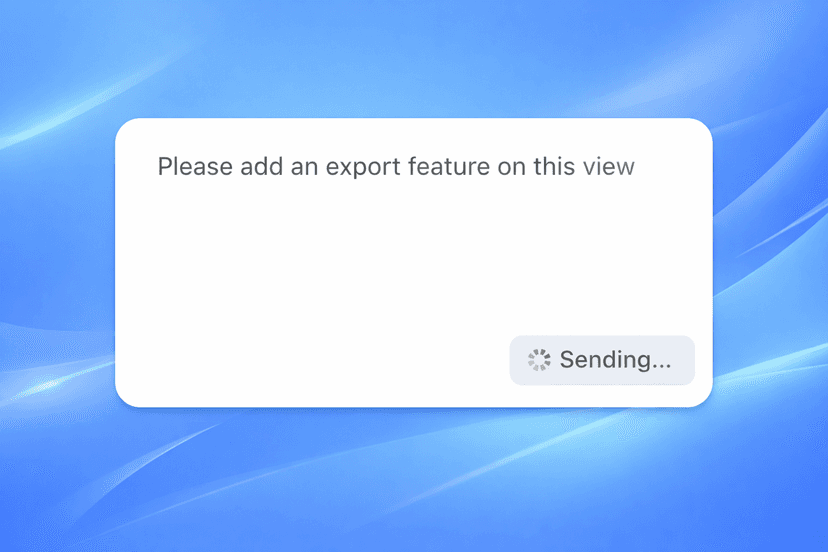
Name and email come from your authentication. Users just type their message.
john.doe@example.com
John Doe
Please add an export feature on this view
Smart fields — computed by AI
Then trigger automations based on those fields
Frequently asked questions
Is this a form builder or a chatbot?
Can I use it without Slack?
Do I lose the original answers?
Can I export or integrate with my stack?
Can I embed it on my site?
What happens when the assistant is unsure?
Can I control tone and behavior?
Does this replace  Typeform or
  Google Forms?
Pricing?
Talk to us
Questions, ideas, or just curious?
We read every message. Whether you want to explore a use case, integrate with your stack, or tell us what we should build next, we want to hear it.
Get in touch